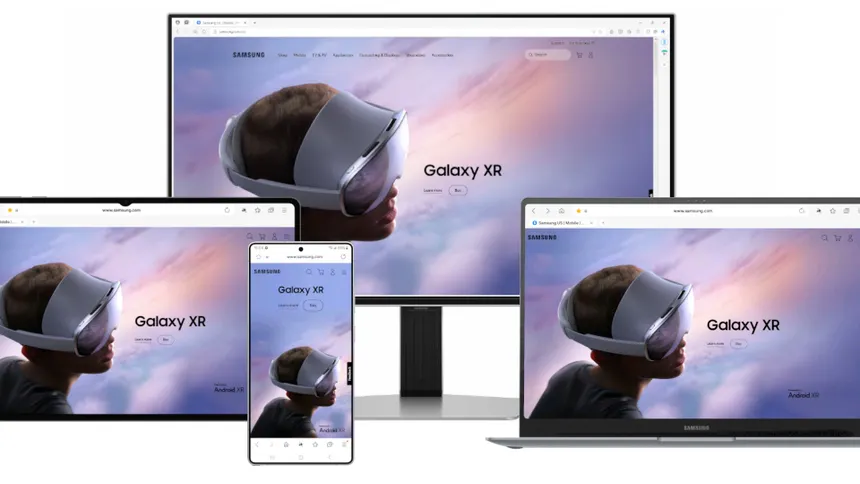
Samsung Internet Expands to PC With New Beta Program
Samsung has taken an important step in improving the way people browse the internet across different devices. For years, Samsung Internet has been a popular browser on Galaxy smartphones and tablets. It is known for its smooth performance, strong privacy controls, and simple design. Now, for the first time, Samsung is bringing this experience to desktop and laptop users through a new PC Beta Program.
This move is not only for tech lovers — it is for anyone who uses a computer and a smartphone and wants a smoother, more connected browsing experience.
Why Bringing Samsung Internet to PC Matters

In our daily lives, we constantly switch between devices. We might start reading an article on our phone, continue it on a laptop, or save a webpage on our computer and later open it from the phone. Samsung wants to make this switching easier and more natural.
By launching Samsung Internet for PC, the company aims to:
- Reduce the gap between mobile and computer browsing
- Create a unified Samsung experience across devices
- Offer more privacy-focused and AI-powered features
- Compete with popular browsers like Chrome, Edge, and Firefox
- Give Galaxy users a familiar environment on any device they use
This expansion shows Samsung’s long-term plan to strengthen its digital ecosystem.
Cross-Device Sync: Continue Browsing Without Losing Anything
One of the best features of Samsung Internet is its syncing capability. If you sign in with your Samsung account, you can easily sync:
- Bookmarks
- Browsing history
- Saved pages
- Open tabs
- Samsung Pass passwords
This means you can start reading a news story on your phone and continue exactly where you left off on your PC. Or you can bookmark something on your computer and open it later on your Galaxy phone without any manual effort.
For people who work between home, office, and outdoors, this is extremely helpful.
Galaxy AI Comes to PC Browsing
Another highlight is the introduction of Galaxy AI features directly inside the browser. These AI tools are designed to make your browsing smarter and more convenient.
Some of these features include:
- Browsing Assist
This AI tool can summarize long webpages in simple words. Whether it’s a research topic, financial article, or news report, you can get the key points instantly without reading everything.
- Instant Translation
Galaxy AI can translate foreign-language webpages into your preferred language. This is especially useful for students, professionals, and travelers.
- Better Suggestion and Search Understanding
The browser learns your patterns and improves the way it shows results and suggestions — always keeping your privacy protected.
These additions show Samsung’s goal to integrate AI not just in phones, but in everyday web experiences.
Stronger Privacy and Protection
Privacy has become one of the biggest concerns for people who use the internet daily. Websites, ads, and trackers constantly collect user data. Samsung Internet is known for its privacy-first approach, and the PC version continues this effort.
Key privacy features include:
- Smart Anti-Tracking
This automatically blocks hidden trackers from following you across websites.
- Privacy Dashboard
A simple dashboard shows what is being blocked in real time, so you always know what is happening behind the scenes.
- Secure Samsung Pass
Your saved passwords and autofill details can sync across devices, protected with Samsung’s advanced security system.
For users who are not very tech-savvy, these protections work quietly in the background without requiring any complicated setup.
Simple, Clean, and Familiar Design
Samsung Internet on PC is designed to feel comfortable even for beginners. It has:
- A clean, distraction-free interface
- Easy access to bookmarks and tabs
- Dark mode
- Smooth performance
- Simple customization options
If you already use Samsung Internet on your phone, the desktop version will look and feel instantly familiar.
Who Can Use the Beta Version?
The beta program is currently available for:
- Windows 10 (version 1809 and above)
- Windows 11
- Users in selected regions (initially the U.S. and South Korea)
More countries are expected to be added as Samsung continues testing.
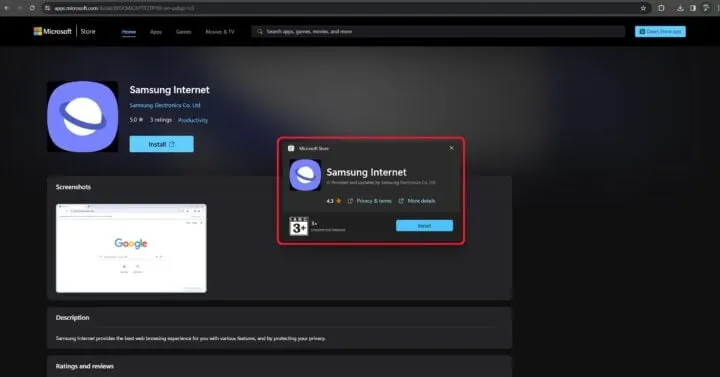
The browser can be downloaded through Samsung’s official beta website. As it is still in testing mode, some features might change or improve over time.
Why This Move Is Important for Samsung
This launch isn’t just about a new browser — it is part of a bigger vision.
- Building a Stronger Ecosystem
Just like Apple has a connected environment across iPhone, iPad, and Mac, Samsung aims to create a seamless experience across Galaxy devices and PCs.
- Preparing for an AI Future
By integrating Galaxy AI into browsing, Samsung is positioning itself as one of the leaders in the AI-powered digital experience.
- Offering More Choices
Users are no longer limited to Chrome, Edge, or Firefox. Now Samsung offers a new option that focuses on privacy, simplicity, and cross-device intelligence.
- Increasing Convenience for Everyday Users
Whether it’s students, professionals, freelancers, or casual users — everyone benefits from smoother syncing and better privacy.
What to Expect in the Future
As this is only the beta phase, Samsung is expected to add:
- More Galaxy AI features
- Smoother connectivity with other Galaxy products
- Better performance and stability
- More countries in the rollout
- Additional customization and extensions
Samsung’s long-term goal is to create a browser that not only responds to what you do, but also understands your needs and helps proactively.
Conclusion
The launch of Samsung Internet for PC (Beta) is a big step forward in improving cross-device browsing. It brings together convenience, security, AI intelligence, and a unified experience for millions of users who rely on Samsung devices every day.
Whether you are a student, professional, content creator, or casual internet user, this new browser aims to make online browsing easier and smarter.
As Samsung continues to develop the PC version, it could soon become one of the top choices for people who want a reliable, privacy-focused, and AI-enhanced browsing experience.